GigClick Get it on Google PlayGoogle Play

Metronome for Android

A metronome for musicians, built by a drummer.

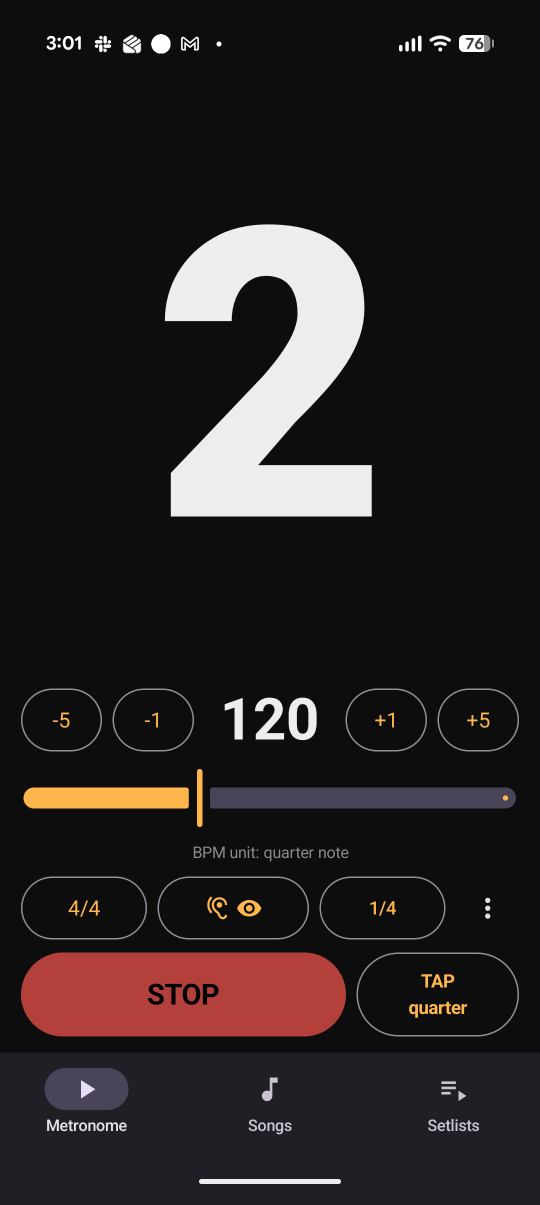
Accurate timing. Clear counts for common and odd meters. A beat display you can read while playing, plus setlists you can step through on stage.

Get it on Google Play

US $0.99 · Pay once, own it

Android 8.0+ · No ads · No account · No data collected

Why GigClick

Steady timing, meters grouped the way you feel them, setlists you can run on stage.

20–300

Accurate, uninterrupted timing

Rock solid from the first bar to the last. The click keeps playing with the screen off, and notifications never pause it or turn it down.

7/8

Odd meters, grouped your way

Choose where the main beats fall in 6/8, 7/8 and other odd meters. GigClick shows the grouping and whether the BPM counts quarter notes, eighth notes or another note value.

◀ ▶

Songs and setlists

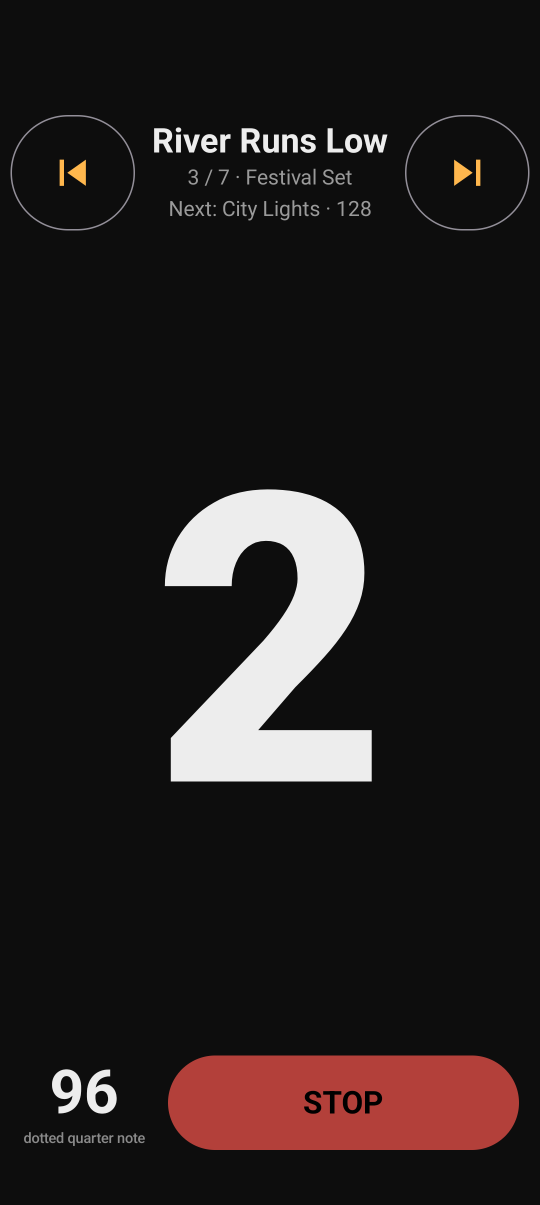
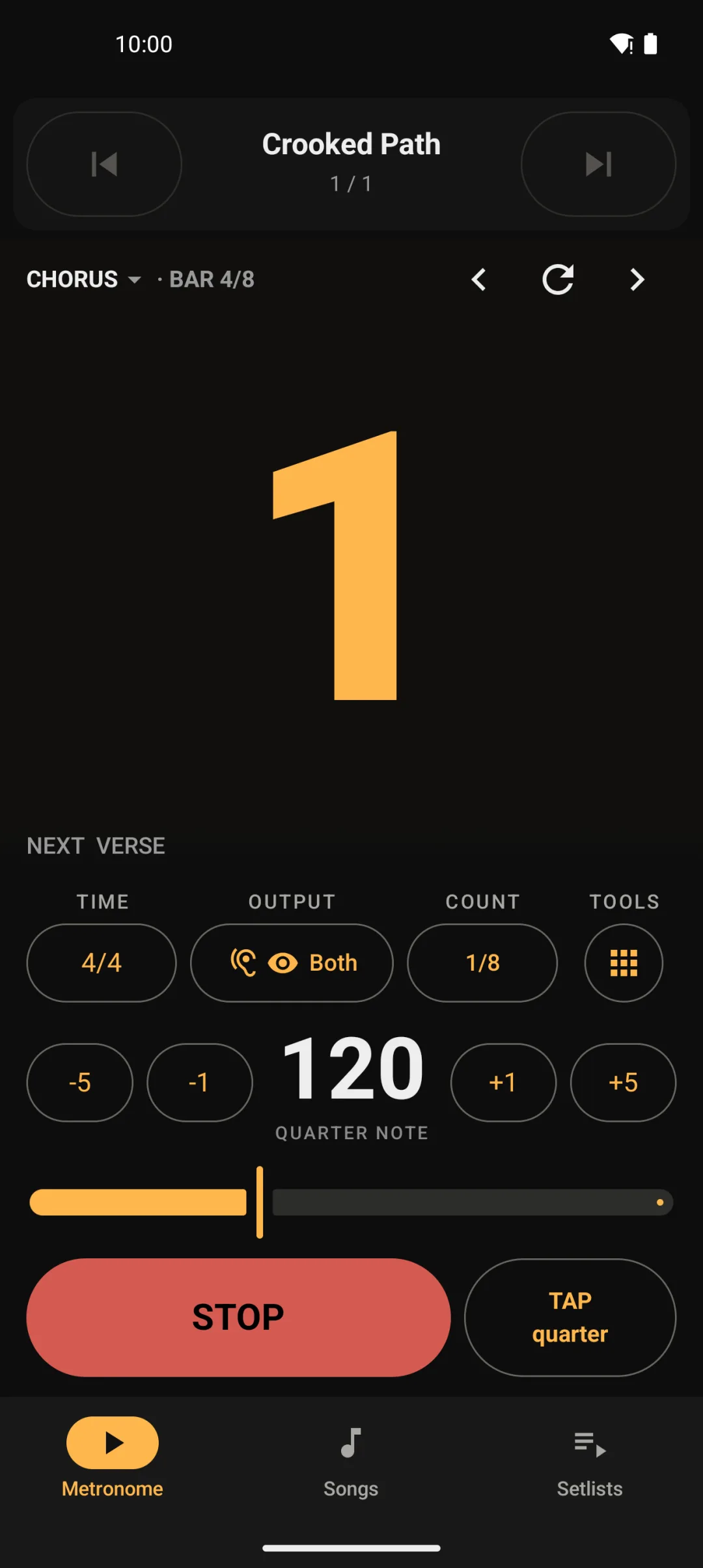
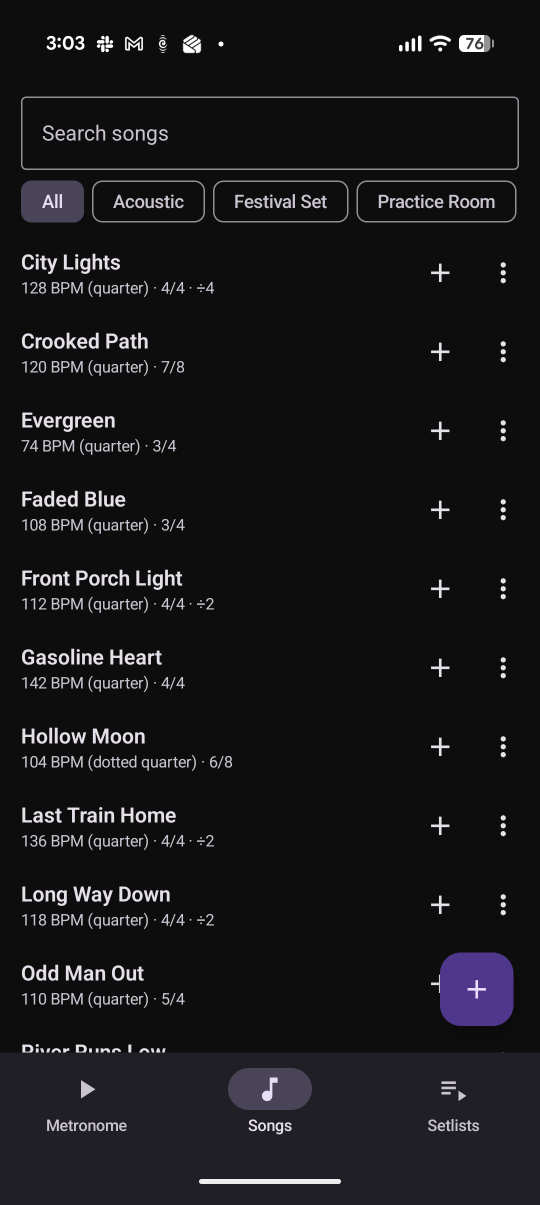
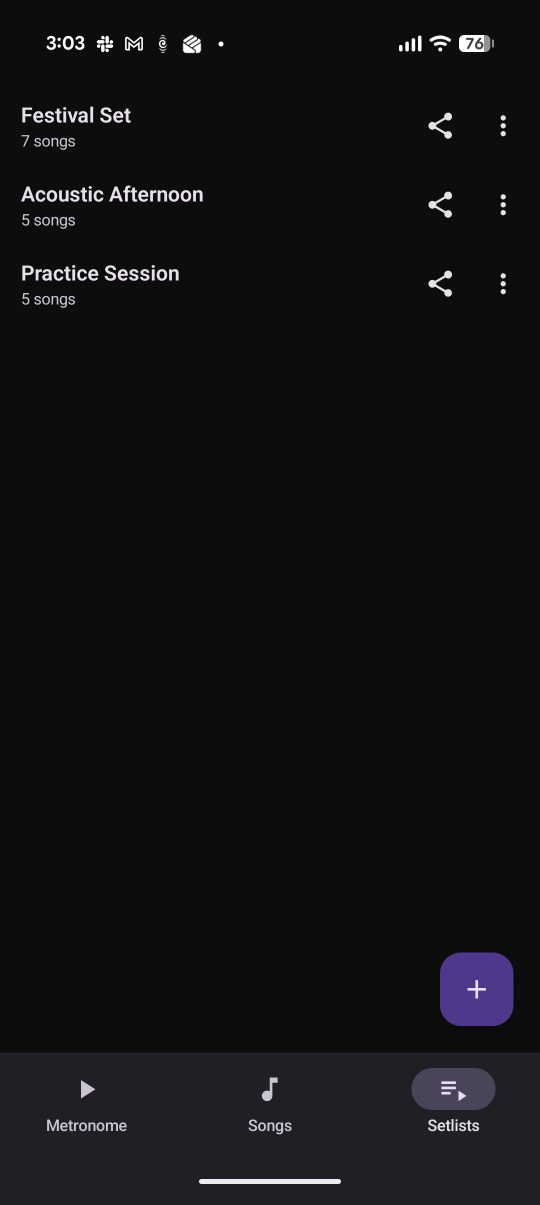
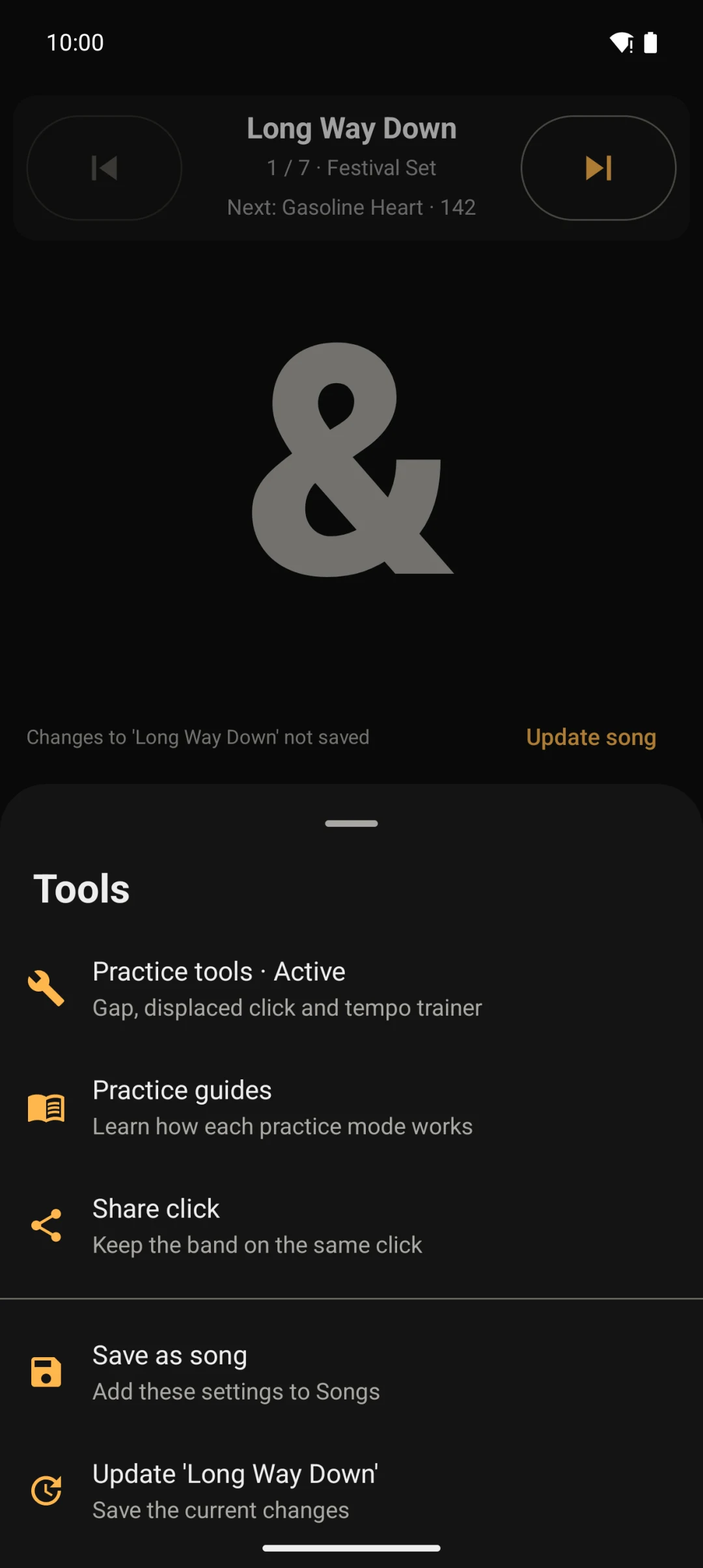
Save a tempo, meter and click pattern for each song. Load a setlist and move through it with large previous and next controls. Full screen mode leaves only the count and setlist controls on screen.

The app

Designed to be read and operated while you play.

Bluetooth sync

The display stays aligned with Bluetooth audio.

Bluetooth adds a delay between your phone and your headphones or speaker. GigClick measures that delay and shifts the visual count to match. You can save a manual adjustment for each output.

Practice

Tools for timing practice.

Subdivisions

Choose quarter notes, eighths, triplets or sixteenths. The display shows the full count, including 1 e & a.

Per-beat accents

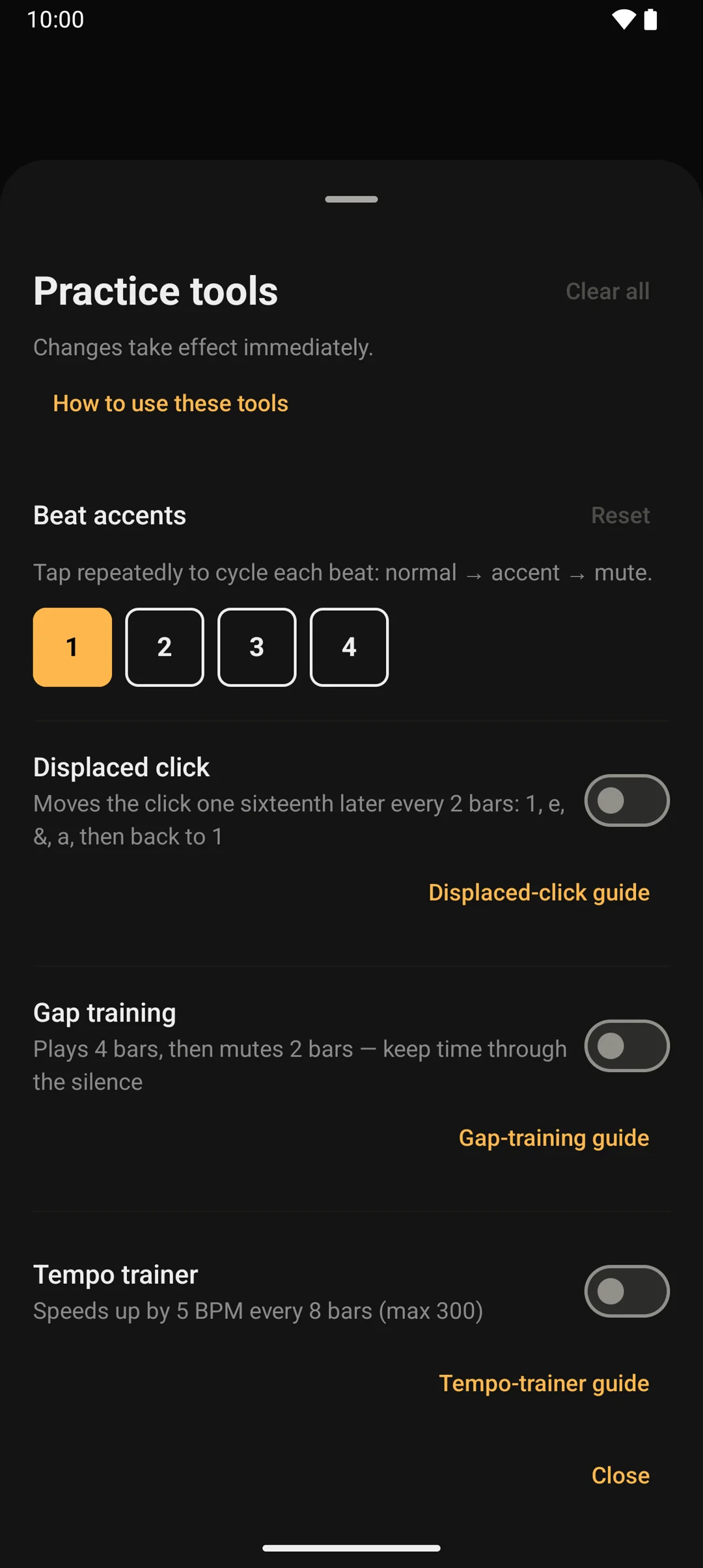
Choose which beats are loud, normal or silent. For example, create a backbeat click that only marks 2 and 4.

Gap training

Choose how many bars play and how many are silent. Keep time through the gap and check where you land when the click returns.

Tempo trainer

Let the tempo climb while you play — say +2 BPM every 8 bars. You set the step and the bar count; it stops at 300.

Tap tempo

Tap the beat and GigClick sets the BPM.

Three click sounds

Choose Classic, Woodblock or Soft, then set the click volume and beat-flash strength.

Full feature list Everything in GigClick
01

Tempo and click

  • 20–300 BPM with slider, tap tempo and ±1 or ±5 controls
  • Quarter-note, eighth-note, triplet and sixteenth-note click patterns
  • The BPM always shows whether it counts quarter notes, eighth notes or another note value
  • Changes apply while the click is running
02

Time signatures

  • Presets for 2/4, 3/4, 4/4, 5/4, 6/8 and 7/8
  • 6/8 counted in two and 7/8 grouped 2+2+2+1
  • Custom numerators up to 16, with /2, /4, /8 or /16 denominators
  • Custom pulse groupings such as 2+2+3, 3+2+2 or 3+3+3+2
  • GigClick suggests a grouping for custom meters. You can change the grouping and the note value used for the BPM
  • In grouped meters, hear the click on just the group starts, or on every note in the bar
03

Sound and display

  • Audio, visual or combined output
  • Large beat count with 1 e & a subdivision syllables
  • Full screen mode with start, stop and tempo controls
  • Classic, Woodblock and Soft click sounds, with volume control
  • Six accent colours and adjustable beat-flash strength
  • Screen stays awake while the count is showing, and sleeps in audio-only mode
04

Practice

  • Per-beat accent, normal and mute settings
  • Gap training with configurable playing and silent bars
  • Tempo trainer with configurable BPM steps and bar intervals
  • Practice tools available in visual-only mode
  • Clear all practice settings in one tap
05

Song library

  • Searchable songs with folders and an Unfiled view
  • Save tempo, meter, subdivision, notes and custom accents per song
  • Save the current metronome setup as a new song
  • Update a saved song to whatever the metronome is set to now
  • Tap a song to load all of its click settings
06

Setlists and queues

  • Build setlists from the song library and drag to reorder them
  • Queue songs on the fly, then save the queue as a setlist
  • Jump to, reorder or remove songs in the loaded queue
  • Large previous and next controls load the next song, ready to start on beat one
  • Current position, song notes and a next-song preview on screen
  • Export any setlist as a printable PDF
07

Remote control and sync

  • Headset and Android media controls for play, pause and stop
  • Media next/previous and Page Up/Down controls move through songs
  • Optional volume-button control for previous and next song
  • Lock-screen media controls and a Stop action in the notification
  • Automatic Bluetooth visual sync
  • Adjust the visual count manually for each Bluetooth output. GigClick remembers every adjustment
08

Reliability and ownership

  • Click continues with the screen off or the app in the background
  • Notifications do not pause or lower the click
  • Stops automatically if your in-ears disconnect or the sound switches to another output
  • Local library backup and restore
  • Works offline and makes no network connections
  • No ads, subscriptions, accounts, analytics or data collection

Price

US $0.99

Pay once. Own it.

  • No ads
  • No subscription
  • No account
  • No data collected

Your songs and setlists stay on your phone. Nothing is uploaded or tracked.

Get it on Google Play

Practice guides

Guides to practising with GigClick.

Three guides: keeping steady time, building speed cleanly, and getting through repetitive practice.

  1. 01 · Keep time Three metronome exercises for steadier time Practise subdivisions, play through silent bars and move the click between the beats. Each exercise makes you hold the pulse instead of following the metronome. Read the guide
  2. 02 · Build speed How to build speed without losing technique Slow a difficult passage down until it feels clean and comfortable. Then raise the tempo in small steps without changing how you play it. Read the guide
  3. 03 · Make it automatic How to make repetition less boring Use a podcast, audiobook or sport to make repetitive practice easier. Check your playing regularly to make sure it stays clean. Read the guide

Questions

Common questions.

Is there an iPhone version?

GigClick currently runs on Android 8.0 or newer. There isn’t an iPhone version yet, and I don’t have a date for one yet.

Does it keep playing with the screen off?

Yes. The click continues when the screen is off or GigClick is in the background. Notifications do not pause or lower it.

What happens if my in-ears disconnect mid-song?

If the audio output changes while the click is running, GigClick stops to avoid playing through the phone speaker. Press Start to continue on the new output.

Can the rest of the band get the setlist?

Yes. Export any setlist as a PDF with the song order, tempos and meters.

Can I transfer my songs and setlists to a new phone?

Export your library as a backup file, then import it on the new phone.

Does it need internet or an account?

No. GigClick makes no network connections at all. There is nothing to sign into and nothing leaves your device.